
Free Quotation Generator: Create a Customized Quotation Online
Make a sales quote or price quotation with your logo, your own title and terms, a validity date and itemized pricing, then download it as a PDF. Free, no signup required.
- Draft your offer with a "Valid Until" date.
- Send the PDF and get written acceptance.
- Invoice the same items once accepted.
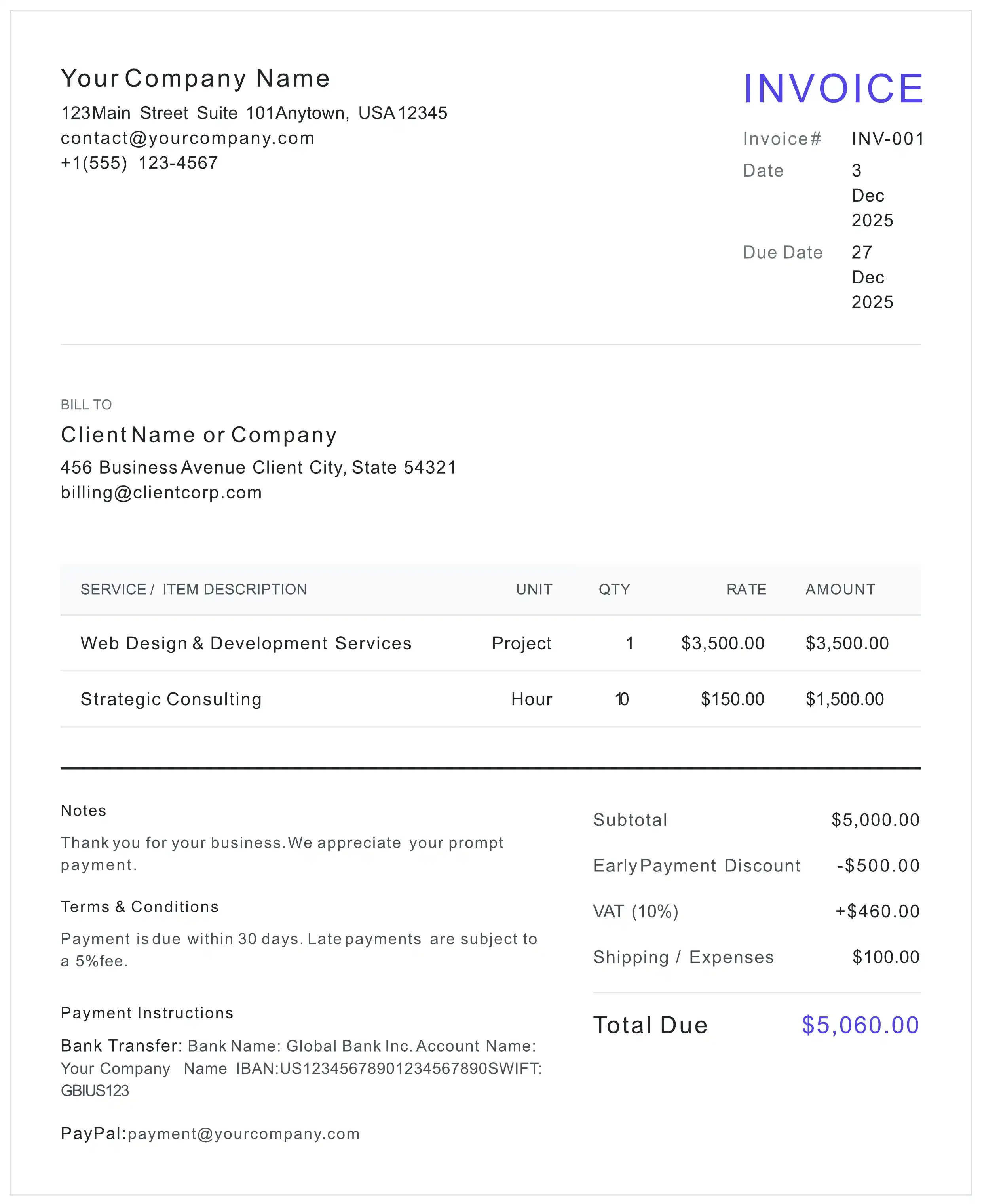
Prefer a blank quote or estimate template? Download it as PDF, Word (DOCX), or Excel (XLSX) with working formulas — free, no signup, no email. Or fill it in online on this page and download a finished, calculated PDF.
What the quotation editor above includes
- Quote number, client details and a 30-day validity date you can adjust
- Line items with automatic totals on a quotation layout — separate from your invoice numbering
- Your own logo, accent color, document title, currency, paper size, notes and terms
- A "Turn this quote into an invoice" button that opens the invoice generator with the same parties, lines and settings
- Live preview and free PDF download
Free to use — no signup, no account. Unmetered for normal use, with an anti-abuse cap of 20 generated PDFs per device per day. Each PDF carries a one-line credit for this site, on by default — one free checkbox in the settings turns it off. Your draft autosaves in your own browser, and when you download, its content is sent over an encrypted HTTPS connection to our server, which renders the PDF. The blank template downloads above are not metered.
Customize Your Quotation
A custom quotation here means your logo, color, heading, numbering, currency, paper size, line items, taxes and terms. These are the controls in the editor above (editor labels shown in gray) and what each one changes on the PDF.
-
Logo Business Identity
Upload a JPG, PNG or WEBP logo (up to 0.5 MB and 2048 × 2048 px).
On the PDF: In the header, above your business name.
-
Accent color Visual Theme
Pick any color with the color picker.
On the PDF: Fills the Total Amount box.
-
Document title Document Title
Free text up to 100 characters. It starts as QUOTATION; change it to PRICE QUOTATION, SALES QUOTE, ESTIMATE or your own wording.
On the PDF: The heading at the top right.
-
Quote number Quote #
Pre-filled as QUO-2026-001; overwrite it with your own numbering (up to 50 characters).
On the PDF: Under the heading.
-
Dates Date, Quote Valid Until, Respond By (optional)
The issue date starts as today and Quote Valid Until as 30 days ahead; add a Respond By date if you want a reply sooner.
On the PDF: Date of Issue, Quote Valid Until and, when filled, Respond By.
-
Currency Monetary Unit
USD, EUR, GBP, JPY, CAD, AUD, CHF or TRY, or type a custom symbol (for example Rs. or Kr).
On the PDF: On every price and total.
-
Paper size Document Format
A4 (the default), A5, A3, B5, Letter, Legal or Tabloid.
On the PDF: The page size of the PDF.
-
Line items Items
Up to 25 lines, each with a description, a unit you type (Item, Hour, Day, m²…), quantity and unit price.
On the PDF: Description, Unit, Quantity, Unit Price and a calculated Amount for every line.
-
Discount, tax and shipping Totals & Adjustments
Rename the discount and tax lines (for example VAT, GST or Sales Tax), set each as a percentage or a fixed amount, and add a Shipping / Expenses amount with a +Tax box.
On the PDF: Under the subtotal, each only when it is above zero, then the Total Amount.
-
Notes and terms Notes, Terms & Conditions
Notes up to 2,000 characters and Terms & Conditions up to 3,000. Both start with quotation wording you can replace with your own scope, exclusions and acceptance terms.
On the PDF: Under Notes and Terms & Conditions.
-
Payment details Payment Methods
Up to 4 methods: add a Bank Transfer, PayPal or Stripe payment-link entry, or a custom one (for example deposit instructions), and edit the details.
On the PDF: Under Payment Details.
-
Footer credit Footer Credit
On by default; untick the box to remove it.
On the PDF: The one-line "Created free with myinvoicetemplate.com" credit at the bottom.
What stays fixed: the layout, the column headings, the other printed labels, and the closing notice, which reads "This document is a quotation (estimate), not an invoice or a request for payment. Prices are valid until the date shown above; a formal invoice will be issued upon acceptance."
What is a Business Quotation?
A quotation is a formal price offer you send to a prospective client before any work begins.
Unlike an invoice, a quotation does not request payment. It tells the client exactly what you will deliver and at what price, and it protects both sides:
- For the client: a clear, itemized breakdown of costs to compare and approve
- For you: a documented price offer with an expiry date, so old prices can't be claimed months later
- For the project: a shared reference that becomes the basis of the final invoice
Once the client accepts — ideally in writing — you deliver the work and issue a formal invoice for the same items. For a deeper walkthrough of writing persuasive quotes, see our guide on how to write a quote.
How to Create a Quotation
Six steps to a professional quote your client can approve on the spot.
- 1 Enter Your Business Details
Add your business name, address, and contact information, and upload your logo.
- 2 Add the Prospective Client
Enter the client's company name and address exactly as they should appear on the offer.
- 3 Set the Validity Date
Choose how long your prices stand: the Quote Valid Until date starts 30 days ahead and prints on the PDF, and the default terms say the quotation is valid until that date.
- 4 List Items and Prices
Describe each product or service with quantity, unit, and unit price. Add a discount, tax or shipping if needed.
- 5 Add Terms of Acceptance
In Terms & Conditions, state how the client accepts (e.g., written confirmation or a deposit) and what happens after acceptance. Need wording? See our quote disclaimer template.
- 6 Download Your PDF
Press Preview & Download, check the preview, then Confirm & Download PDF. No signup.
From Quotation to Invoice
Once the client accepts, you don't retype the quote. The editor above ends with a "Quote Accepted? Turn It into an Invoice" section.
- 1 Press "Turn this quote into an invoice"
If the invoice generator already holds a draft in this browser, you are asked whether to replace it; Cancel leaves both drafts as they are.
- 2 The invoice generator opens with the same lines
The invoice generator on our home page loads the quote's From and To details, every line item, the discount, tax and shipping, the currency, logo, color, paper size, footer-credit setting and payment details.
- 3 The invoice references the quote number
The invoice's Notes read "Reference: Quote # QUO-2026-001" (with your quote number), so the invoice points back to the quote the client accepted.
- 4 Finish the invoice details
The invoice starts as INVOICE number INV-001, dated today, with the terms "Payment is due within 30 days." Set your invoice number, the due date and your payment terms, then download the invoice PDF.
Not copied: the quote's Notes, Terms & Conditions, Document Title and dates (issue date, Quote Valid Until and Respond By). The handover happens in your browser: it saves the new invoice draft in this browser's storage and opens the invoice generator, and your quotation draft here stays as it was.
Quotation vs Proforma Invoice vs Invoice
Three documents, three different jobs. Pick the right one for the stage you're at.
| Feature | Quotation | Proforma Invoice | Invoice |
|---|---|---|---|
| When it's sent | Before any agreement | After agreement, before delivery | After delivery |
| Purpose | Price offer | Preliminary bill (customs / L/C) | Request for payment |
| Payment due? | No | Advance/deposit only | Yes — has a due date |
| Typical user | Services & domestic sales | Exporters & international trade | Everyone |
| Right tool | This page | Proforma Invoice Generator (also for a proforma quote) | Invoice Generator |
The full comparison, including what each document means for tax: proforma invoice vs invoice vs quotation.
5 Common Quotation Mistakes
Avoid these errors to win more work and protect your margins.
An open-ended quote can be accepted months later at outdated prices. Always set "Valid Until".
"Design work — $X" invites scope creep. Spell out what's included and what counts as an extra.
State exactly how the client accepts — a signature, a written confirmation, or a deposit.
Say clearly whether prices include or exclude tax. Surprises at invoice time damage trust.
Numbered quotes (QUO-2026-001) are easier to reference in emails, invoices, and bookkeeping.
Quotation FAQ
What is the difference between a quotation and an invoice?
A quotation is a price offer sent BEFORE work begins — it is not a request for payment. An invoice is issued AFTER goods or services are delivered and formally requests payment. A quote becomes the basis for the invoice once the client accepts it.
Is a quotation legally binding?
A quotation is generally an offer. In many jurisdictions, once the client accepts it in writing, it can form the basis of a binding agreement at the quoted price — which is why a clear validity date matters. For high-value contracts, consult a legal professional.
What should a business quotation include?
A professional quotation should include: your business details, the prospective client's details, a unique quote number, the issue date, a 'valid until' date, an itemized list of products or services with quantities and unit prices, any taxes or discounts, the total, and your terms of acceptance.
How long should my quotation be valid?
Common validity periods are 14, 30, or 60 days. Shorter periods protect you against cost increases; longer periods give clients time to decide. This tool defaults to 30 days, and you can change the 'Quote Valid Until' date to anything you like.
What is the difference between a quotation and a proforma invoice?
Both are pre-sale documents, but a proforma invoice is a more formal trade document often used for customs clearance and Letter of Credit applications in international shipping. A quotation is the standard document for offering prices on services or domestic sales. If you are exporting goods, use our proforma invoice generator instead.
Can I convert my quotation into an invoice?
Yes. At the bottom of the editor, press "Turn this quote into an invoice". The invoice generator on our home page opens with the quote's From and To details, line items, discount, tax, shipping, currency, logo, color, paper size, footer-credit setting and payment details, and its Notes read "Reference: Quote #" followed by your quote number. The quote's notes, terms, title and dates are not copied: set the invoice number, due date and payment terms there, then download the invoice. If the invoice generator already holds a draft in this browser, you are asked before it is replaced, and your quotation draft here stays as it is.
Do I need to sign up or log in?
No. There is no account, login or email step: fill in the quotation on this page and download the PDF. Your draft is saved in your own browser on this device, so it is still there when you come back in the same browser, until you press Reset or clear this site's data (a private window clears it when you close the last private window).
Is there a blank quotation form?
Yes. Just below the editor you can download a blank quote/estimate template as a PDF, a Word (DOCX) file or an Excel (XLSX) file, free and without signup. The PDF and Word versions have fields for the quote number, date issued, valid-until date, your details, the client ("Prepared for") and an Acceptance (name & signature) box. The Excel version has ten item lines that multiply quantity by unit price, a subtotal, a tax-rate cell set to 0 and an estimated total. To get a finished, calculated PDF instead, fill in the editor above.
Can I make a preliminary (budgetary) quotation?
Yes. A preliminary or budgetary quotation gives an approximate price early, while the scope is still open, so the client can plan a budget; a firm quotation prices a defined scope and states how long that price stands. To make one here, change the Document Title to PRELIMINARY QUOTATION (or BUDGETARY QUOTATION), write your assumptions and what is not included in Notes, and set the Quote Valid Until date. The PDF always prints the standard quotation notice ("Prices are valid until the date shown above"), so say in Notes that the figures are preliminary and that a firm quotation will follow.
Is this quotation generator really free?
Yes. There is no account, no email address and nothing to pay. It is free and unmetered for normal use; an anti-abuse cap of 20 PDFs per device per day (200 per IP) applies, well above ordinary use, and the blank template downloads on this page are not metered. A one-line "Created free with myinvoicetemplate.com" credit is switched on by default and one free checkbox in the settings turns it off. Your draft is stored in your own browser on this device, so download and keep the PDF you need.
Ready to Send Your Quote?
100% free. No signup. Download your professional quotation PDF instantly.
Create Free Quotation