
Free Receipt Generator
Create a receipt of payment — cash, card or bank transfer — with itemized lines, tax and a PDF download. 100% free, no signup required.
- Invoice the customer for what is owed.
- Payment arrives — cash, card, or bank transfer.
- Receipt confirms it landed and closes the record.
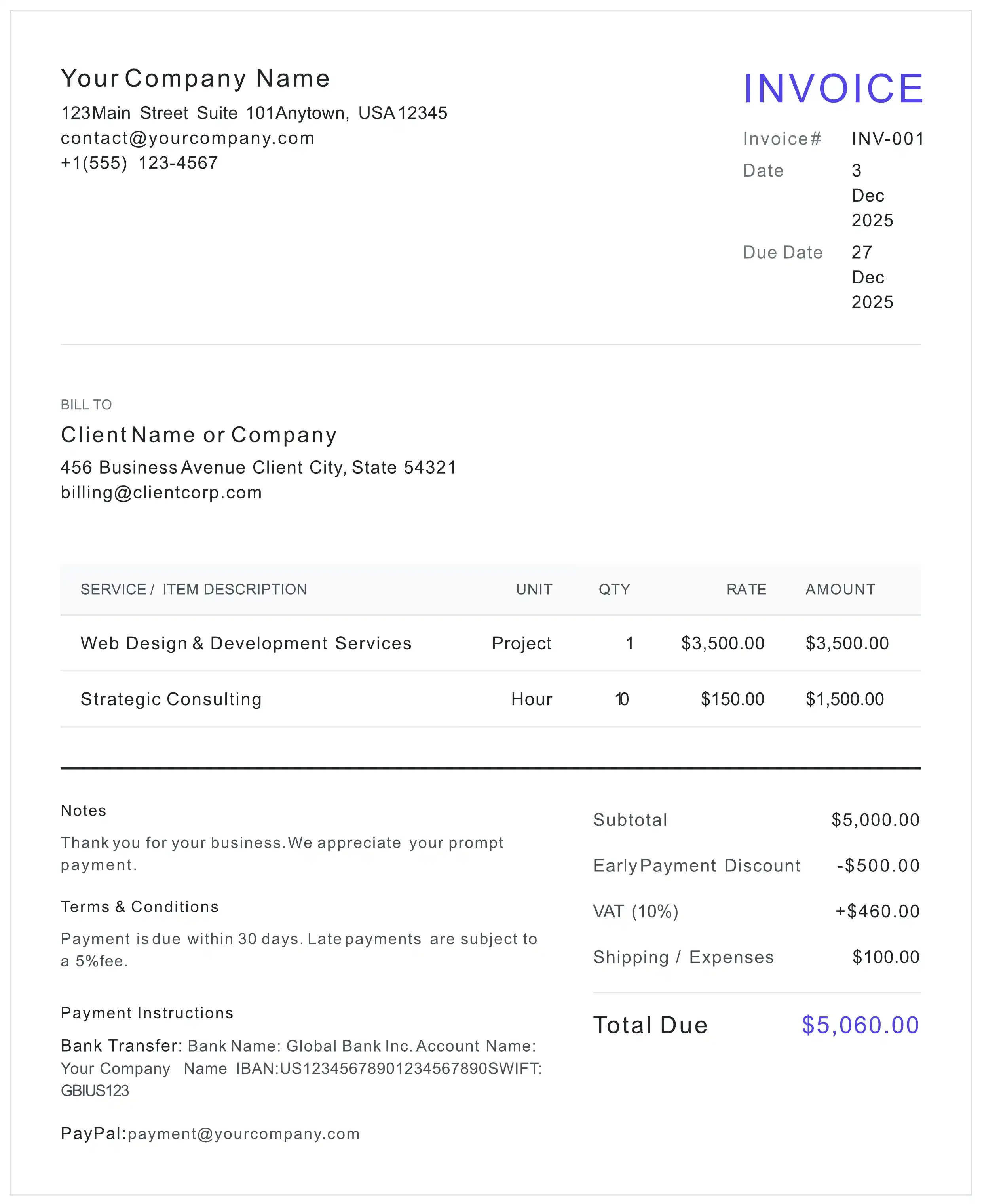
Prefer a blank receipt template? Download it as PDF, Word (DOCX) — free, no signup, no email. Or fill it in online on this page and download a finished, calculated PDF.
Prefer to print or edit it yourself? The receipt template page has the blank PDF and Word files, the receipt format field by field and a filled-in sample.
Receipts by trade: Photography (its own receipt page with photography line items) · Electrician (loads electrician line items here on a fresh receipt; a receipt draft you already have in this browser is kept).
What the receipt editor above includes
- Receipt number (REC-prefixed) and a payment date that defaults to today, both editable
- Itemized lines with quantity and unit price, plus discount, tax and shipping rows that total automatically
- Payment details block for the method and reference, your logo, accent colour and Letter or A4 paper size
- The document prints under a RECEIPT heading (the title is editable) with a notice stating that it confirms payment received and is not a request for payment
- Live preview and free PDF download
Free to use — no signup, no account. Unmetered for normal use, with an anti-abuse cap of 20 generated PDFs per device per day. Each PDF carries a one-line credit for this site, on by default — one free checkbox in the settings turns it off. Your draft autosaves in your own browser, and when you download, its content is sent over an encrypted HTTPS connection to our server, which renders the PDF. The blank template downloads above are not metered.
What is a Receipt?
A receipt is the document that proves a payment was received — issued after the money arrives, not before.
An invoice and a receipt are opposites in intent. An invoice requests payment: it says what is owed and by when. A receipt proves payment: it records that the amount was received and that nothing further is owed for the items listed. That single difference decides which document you send and when:
- For the customer: proof of purchase they can file for an expense claim, a warranty question, or a return
- For you: the entry that closes an invoice out and keeps your books tied to real payments
- For the record: a dated, numbered line between "billed" and "paid" that neither side has to reconstruct later
The full comparison — including what belongs on each document and the situations where you send both — is in our invoice vs receipt guide. If you still need to bill the customer first, start with the free invoice generator; blank files in PDF, Word and Excel are in the template downloads.
Cash Receipts and Paid-in-Full Receipts
What the editor on this page does for a cash payment, a payment in full and a part payment.
Cash receipt
Under Payment Methods, press + Add Custom and type Cash as the method title (add a note in the details box if you want, such as who took the money). It prints under Payment Details on the receipt. The same route works for a card payment or a cheque; Bank Transfer, PayPal and a Stripe link have their own buttons.
Paid-in-full receipt
A new receipt starts with the note "Payment received in full. Thank you for your business.", and you can edit it. Every receipt also prints a notice that it confirms payment received for the items listed and is not an invoice or a request for payment. There is no PAID stamp: the heading, the note and that notice say it.
Part payment
Enter the amount you actually received as the line item, for example "Part payment — invoice INV-2026-031", and edit the note to name that invoice and the balance still open. The editor has no separate amount-paid or balance field, so the balance is text you type.
A copy for your records
The Document Title field is editable, so you can download a second PDF headed, for example, RECEIPT — COPY.
How to Make a Receipt with This Generator
Six steps in the editor above, using the labels you see on screen.
- 1 Enter Your Business Details
Fill in your business name, address and contact details under From (Sender), and add your logo in the settings if you want it on the receipt.
- 2 Add the Customer
Under To (Client), enter the name and address of whoever made the payment, as they need it for their own records. It prints as "Received From".
- 3 Set the Receipt # and the Date
Keep a separate receipt series in "Receipt #" (it starts at REC-2026-001) and set "Date" to the day the money arrived, not the day you invoiced. It prints as "Date of Payment".
- 4 List What Was Paid For
Itemize the goods or services with quantity and unit price. If the payment settles an invoice, put the invoice number in a line description or in Notes; the editor has no separate reference field.
- 5 Add Tax and the Payment Method
Enter any tax under Totals & Adjustments, then add the method under "Payment Methods": Bank Transfer, PayPal, a Stripe link, or "+ Add Custom" for cash, card or cheque. It prints under "Payment Details".
- 6 Download the PDF
Press "Preview & Download", check the preview, then "Confirm & Download PDF". No signup, nothing to pay.
Receipt vs Invoice vs Credit Note
Three documents around the same payment. Pick the one that matches what actually happened.
| Feature | Receipt | Invoice | Credit Note |
|---|---|---|---|
| When it's issued | After the payment arrives | When the amount becomes due | After an invoice, to correct it |
| Purpose | Proves money was received | Requests payment | Cancels or reduces an invoiced amount |
| Effect on the balance | Nothing further owed for the items listed | Creates the balance owed | Lowers the balance already invoiced |
| Typical trigger | Cash, card, or transfer clears | Goods shipped or work delivered | Return, overcharge, or cancellation |
| Right tool | This page | Invoice Generator | Credit Note Generator |
5 Common Receipt Mistakes
Small errors that turn a proof of payment back into a question mark.
A paid invoice can record a payment, but a page headed INVOICE still looks like a request for payment. A document headed RECEIPT is the clearest proof that the money arrived — this generator prints that heading and a notice saying it is not a request for payment. When a paid invoice is enough is covered in Can I use an invoice as a receipt?
The date that matters on a receipt is the day the money arrived. Copying the invoice date breaks the link between your records and your bank statement.
"Paid" without saying how leaves the payment untraceable. Note the method and any reference so the receipt can be matched to a specific transaction.
A single "Services — $X" line fails the moment the customer needs to claim part of it or return one item. Itemize what the payment covered.
Your draft is stored in your own browser on this device, so download the PDF and file it with the invoice it settles.
Receipt FAQ
Can I make a cash receipt here?
Yes. Under Payment Methods, press "+ Add Custom" and type "Cash" as the method title; it prints under "Payment Details" on the receipt. Set the Date to the day you took the money (it prints as "Date of Payment"), list what the cash paid for as line items, then download the PDF and give or send it to the customer.
How does the receipt show it was paid in full?
Through its wording rather than a stamp. A new receipt starts with the note "Payment received in full. Thank you for your business.", which you can edit, and every receipt prints a notice that it confirms payment received for the items listed. For a part payment, enter the amount you actually received as the line item (for example "Part payment — invoice INV-2026-031") and edit the note to name that invoice and the balance still open. The editor has no separate amount-paid or balance field, so the balance is typed text.
Is a receipt legally required?
It depends on where you trade, what you sell, and how the customer paid — some places require a seller to provide proof of purchase on request or above a value threshold, and record-keeping rules for tax purposes are separate again. Treat this as general information, not legal or tax advice: check the rules that apply to your business, or ask your accountant. Issuing a receipt is good practice regardless, because it is the cleanest evidence that a payment was made.
What should a payment receipt include?
Your business name and contact details, the customer, a receipt number, the date the payment was received, what the payment covers as line items, any tax shown separately, the total paid, and how it was paid (cash, card, bank transfer, reference number). If the payment settles an invoice, reference that invoice number so the two documents reconcile.
Should the receipt reuse the invoice number?
Keep a separate receipt series and reference the invoice inside the document. This generator starts receipts at REC-2026-001, which you can change to any format. A separate sequence keeps your records readable — you can still see at a glance which invoice each payment settled without two documents sharing an identifier.
Do I need to issue both an invoice and a receipt?
Not always. When you bill first and get paid later, the invoice sets the terms and the receipt confirms the payment landed — both are useful. For a payment taken on the spot, a receipt on its own is usually the whole paper trail. Business customers often want both, because they file the invoice against the expense and the receipt against the payment.
Can a customer use this receipt for an expense claim or a return?
A receipt is the usual supporting document for expense claims, warranty questions, and returns, which is exactly why it should be itemized rather than a single lump sum. Whether a particular employer, insurer, or tax authority accepts it depends on their own rules, so make the document specific: dated, numbered, itemized, and clear about what was paid and how.
Is this receipt generator really free?
Yes — no account, no email address, nothing to pay, and you get a PDF: press "Preview & Download", check the preview, then "Confirm & Download PDF". It is free and unmetered for normal use; an anti-abuse cap of 20 PDFs per device per day (200 per IP) applies, well above ordinary use, and the blank template downloads on this page are not metered. A one-line "Created free with myinvoicetemplate.com" credit is switched on by default and one free checkbox in the settings turns it off. Your draft is stored in your own browser on this device, so download and keep the PDF you need.
Ready to Send Your Receipt?
100% free. No signup. Download your payment receipt PDF instantly.
Create Free Receipt