
Free Corporate Invoice Template — PDF & Word
corporate-invoice-template.pdf DOCX Download Word (DOCX) Fully editable in Microsoft Word, Google Docs, LibreOffice Writer or Pages. corporate-invoice-template.docx 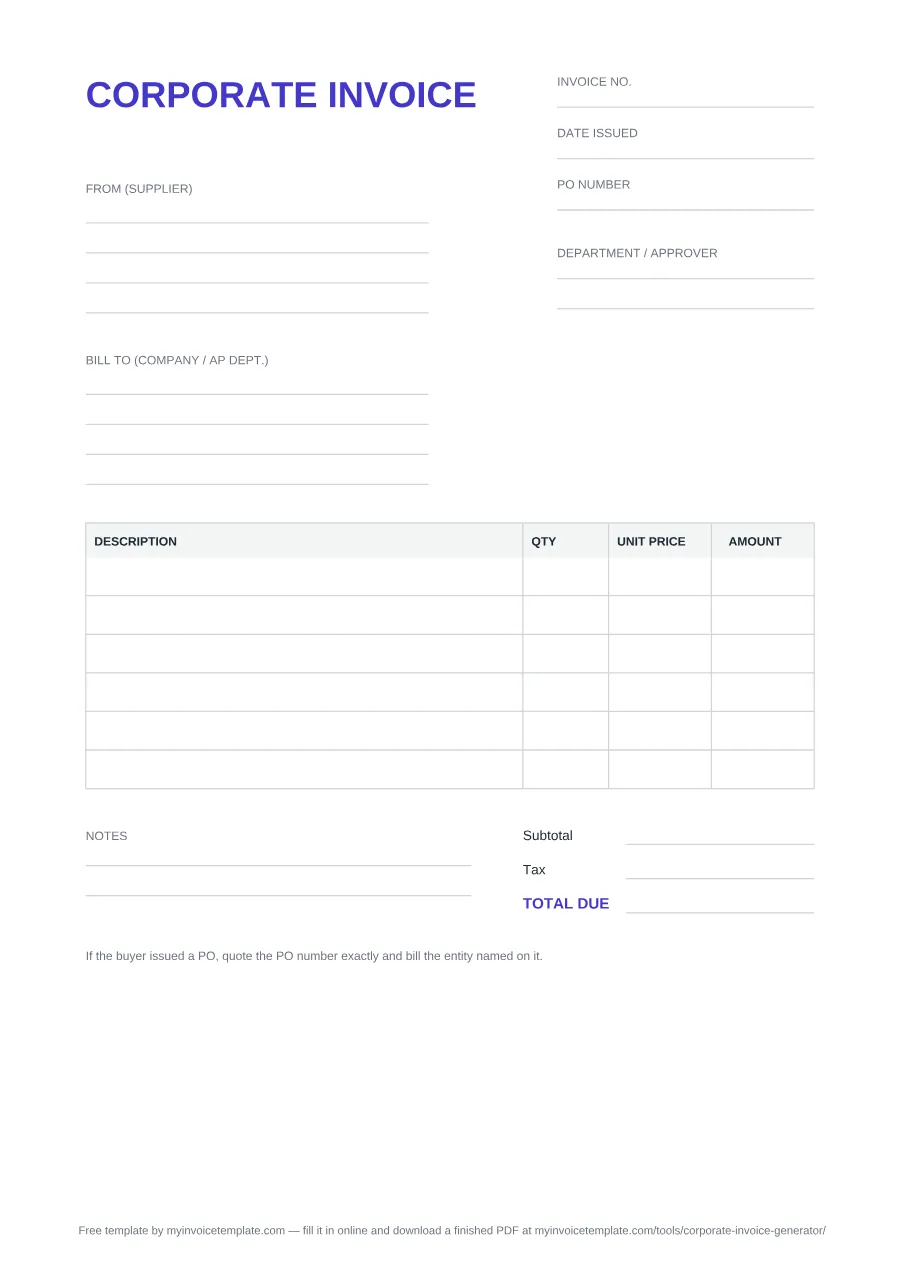
About this page
Free for personal and commercial use. No signup, no email. Both files print one plain-text footer line: “Free template by myinvoicetemplate.com — fill it in online and download a finished PDF at myinvoicetemplate.com/tools/corporate-invoice-generator/”. In the Word file you can delete it; in the PDF it is fixed.
Both files were generated on from the same template definition, and they are regenerated from it with every revision — so the PDF and the Word file never drift apart. Both are laid out on A4 (210 × 297 mm); on US Letter paper, print with “Fit to page”.
What’s inside this template
Every field below is printed on the file you download — the PDF and the Word version carry the same blocks in the same order.
- Header: the document titled CORPORATE INVOICE, with three header fields at the top right — Invoice no., Date issued and PO number.
- From (supplier): a four-line block — room for your legal entity name, address and tax registration number.
- Bill to (company / AP dept.): a second four-line block, addressed to the buying entity and its accounts-payable team rather than to your day-to-day contact.
- Department / approver: a dedicated side field for the cost center or the person who has to approve the spend.
- Line-item table with four columns: Description, QTY, Unit price and Amount — six blank rows in the PDF, seven in the Word file (add more rows in Word as you need them).
- Totals block: Subtotal, Tax, and a highlighted TOTAL DUE. The tax line is left blank — you enter the rate that applies to you, since we do not guess it for you.
- Notes area: two ruled lines for payment terms, bank or remittance details, or a late-fee clause. There is no separate due-date field, so write the payment terms and the exact due date here.
- A printed reminder at the foot of the page to match the PO number exactly and bill the entity named on the purchase order.
- A footer credit line naming this site and the online generator (deletable in Word, fixed in the PDF).
Which format should you pick
- Take the PDF if you are printing the invoice, filling it in by hand, or sending a fixed layout that no one else can reflow. It has no fillable form fields — print and complete it by hand, or use your reader's text/annotation tool.
- Take the Word (DOCX) file if you want to type into it, add rows, drop in a logo, or rename a label. It opens in Microsoft Word, Google Docs, LibreOffice Writer and Pages, and you can export your own PDF from there.
- Neither file does arithmetic. There is no spreadsheet version of the corporate invoice, so if you want the subtotal, tax and total worked out for you, use the Corporate Invoice Generator and download the finished PDF instead.
When to use a corporate invoice
Use this template when your customer is a company rather than a consumer, and payment runs through an accounts-payable process instead of a card at the point of sale. The practical difference is not the amount — it is the paperwork the buyer needs before anyone is allowed to pay you: a purchase order to match against, the exact legal entity to bill, and someone inside the business who owns the approval.
That is why the header carries a PO number beside the invoice number and issue date, why the bill-to block is addressed to the company and its AP department, and why there is a department / approver field. If the PO number or the entity name does not match what the buyer has on file, expect the invoice to come back for correction rather than be paid — which is the slowest way to discover a typo.
Payment terms, PO and three-way matching, and what to do when a B2B invoice is queried are covered in depth in the B2B Invoicing Guide.