
Free Credit Memo Template & Form (PDF, Word, Excel)
Download the credit memo template
About this page
Free, no signup. The PDF and Word files are US Letter (8.5 x 11 in). Each file carries one small line pointing to our online generator; you can delete it in the Word and Excel files.
Files generated on from one template configuration, so the files match the field list on this page. The Word and Excel files were opened and checked in Microsoft Word and Excel.
Credit memo sample (filled in)
This is the same layout with every field completed, so you can compare your own credit memo against it. The names and figures are made up. The sample credits one returned item and one agreed price reduction, and it has no sales tax line because no tax is being credited.
| Description | Qty | Unit price | Credit |
|---|---|---|---|
| Wireless keyboard (returned) | 1 | 40.00 | 40.00 |
| Price adjustment on invoice INV-2045 (agreed) | 1 | 15.00 | 15.00 |
| Subtotal | 55.00 | ||
| TOTAL CREDIT | 55.00 | ||
NotesCredit applied against invoice INV-2045.
This is the billing credit memo a seller issues against an invoice. It is not a bank loan document, and this site does not provide loan paperwork. A credit memo line on a bank statement is something else again: see credit memos on a bank statement.
This template is a general-purpose business document, not legal, accounting or tax advice. Rules for credits and for sales tax differ by state and country; check the ones that apply to you, or ask a qualified professional.
Credit memo format: every field, in order
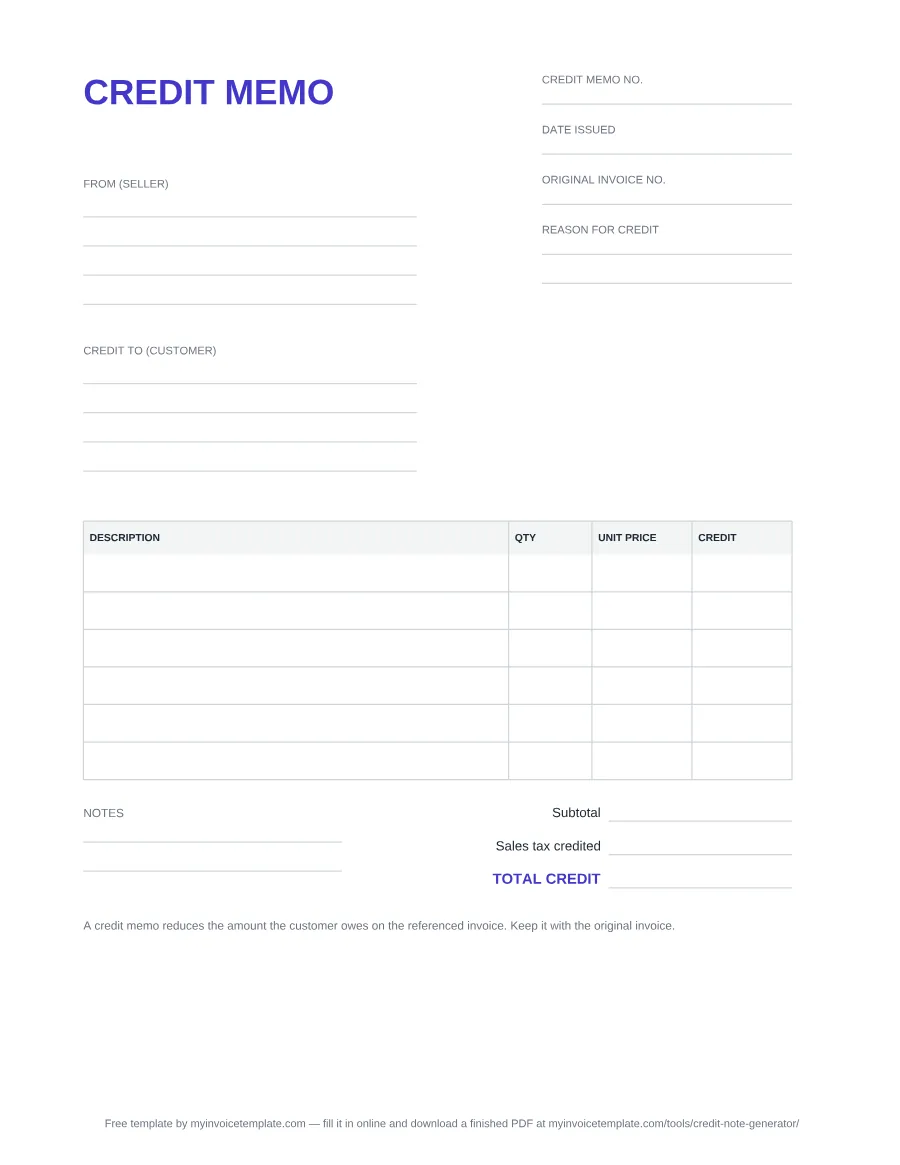
The document is headed CREDIT MEMO and lays out top to bottom like this:
- Credit memo no., Date issued and Original invoice no., the field that ties the credit to the invoice it reduces.
- Reason for credit: return, damaged goods, pricing error, cancelled item or an agreed reduction.
- From (seller) and Credit to (customer), with lines for name, address and contact details.
- A table with DESCRIPTION, QTY, UNIT PRICE and CREDIT. Blank rows: 6 in the PDF, 7 in the Word file and 10 formula rows in Excel.
- Subtotal, Sales tax credited and TOTAL CREDIT, right-aligned under the table.
- Notes (PDF and Word): for example how the credit will be settled.
- A printed line at the bottom: "A credit memo reduces the amount the customer owes on the referenced invoice. Keep it with the original invoice."
What the Excel version calculates
You type into the outlined cells. CREDIT on each row is quantity × unit price, Subtotal sums the credit column, Sales tax credited is the subtotal times the rate you type into the Sales tax rate % (edit) cell (rounded to two decimals), and TOTAL CREDIT adds the two. The rate cell starts at 0, so no tax is added unless you enter the rate you charged on the original invoice.
How to fill in a credit memo
- Give it a number and a date. Use your own credit memo series (the sample uses CM-1001) and the date you issue it.
- Name the original invoice. Write the invoice number in Original invoice no. so anyone checking the account can match the two documents.
- State the reason. One line is enough: "2 units returned damaged", "price agreed at $15 less per unit".
- Fill in both parties exactly as they appear on the original invoice.
- List what you are crediting: the returned items or the reduction, with quantity and unit price.
- Add the sales tax you are giving back, if the original invoice charged tax on those items. In Excel, type that rate into the rate cell; on the PDF or Word file, write the amount on the Sales tax credited line. Otherwise leave it empty.
- Send it and keep a copy with the original invoice. To record it in your books, see the credit memo journal entry examples for the seller and the buyer.
Credit memo or credit note?
Both names describe a document the seller issues to reduce what the customer owes on an invoice. This template uses US wording ("credit memo", "sales tax credited"), with the PDF and Word files on US Letter; our credit note template uses international wording ("credit note", "tax reversal") on A4, and our UK credit note template adds the VAT fields HMRC lists. For when to issue one and how it differs from a refund or a debit memo, read the Guide to Credit Memos.