
Free Blank Invoice Template: PDF, Word & Excel
Download the blank invoice template
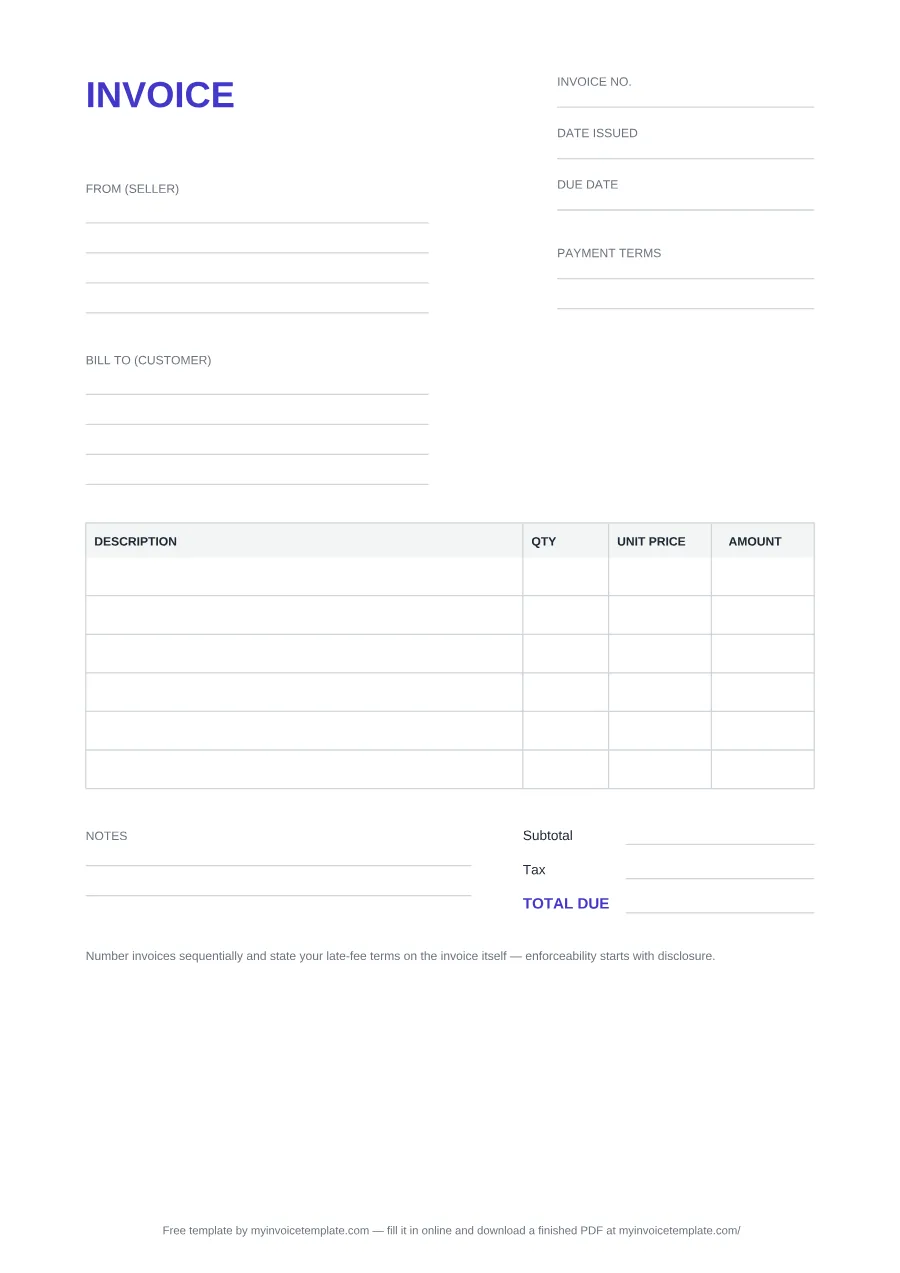
What's on the blank invoice
| Label | In | Notes |
|---|---|---|
| INVOICE | All three | The heading. |
| Invoice no., Date issued, Due date | All three | Top right in the PDF, at the top of the Word file, and in columns D and E in Excel. |
| From (seller) | All three | Four lines in the PDF and Word files, three cells in Excel. |
| Bill to (customer) | All three | Four lines in the PDF and Word files, three cells in Excel. |
| Payment terms | PDF and Word only | Two lines in the PDF. The Excel file has no Payment terms field. |
| DESCRIPTION / QTY / UNIT PRICE / AMOUNT | All three | Six rows in the PDF, seven in Word, ten in Excel. |
| Subtotal, Tax, TOTAL DUE | All three | Blank lines to fill in the PDF and Word files; formulas in Excel. |
| Notes | PDF and Word only | Two lines. The Excel file has no Notes block. |
| Credit line | All three | One plain-text line crediting this site: fixed in the PDF, deletable in Word and Excel. |
About this page
Free for personal and commercial use. No signup, no email, no attribution required.
Files generated on from one template configuration, so the three files carry the same labels. The Word and Excel files were test-opened in Microsoft Word and Microsoft Excel.
These are the file’s own labels, in print order, and where each one appears:
For what to write in each field, see the field-by-field table in how to create an invoice.
This template is a general business document, not legal, accounting or tax advice. What an invoice must show depends on where you trade and whether you are registered for tax; check with your tax authority or a qualified adviser.
How the Excel file calculates
- Each line: AMOUNT = QTY × UNIT PRICE. A line stays empty until both are filled in.
- Subtotal: the sum of the ten AMOUNT cells.
- Tax: subtotal × the rate you type in "Tax rate % (edit)", rounded to two decimals. The rate starts at 0, so no tax is added until you enter one.
- TOTAL DUE: subtotal + tax.
The formulas recalculate when the file opens. For a cell-by-cell walkthrough of building a sheet like this yourself, see how to make an invoice template.
Word, Excel, PDF or paper: which to use
- Word if you want to type the invoice and change its wording or layout, then save it as a PDF to send.
- Excel if you want the sums done for you: amounts, subtotal, tax and total. It has no Payment terms or Notes fields, so add those yourself if you need them.
- PDF if you want to print blank invoices and fill them in by hand, for example on a job or at a market stall.
- Online if you want an invoice "form" to fill in on screen: the free invoice generator gives you a finished PDF without editing a file.
Using it as a bill or sales bill for goods
The invoice is the seller’s own document: you issue it to your buyer. To use it as a bill for goods, put your business in From (seller) and the buyer in Bill to (customer), list each item with its quantity and unit price, and fill in the totals. If you are registered for VAT or GST and your sale is taxable, use the VAT invoice template instead, which has fields for tax numbers and the tax point date. Once the buyer pays, a receipt records the payment.
Need a specific type of invoice?
This blank is deliberately general. These templates add the fields a particular situation needs:
- Freelance invoice template: hours × rate, for freelancers and the self-employed.
- Personal invoice template: for an individual billing a one-off job.
- Net 30 invoice template: the due date follows from a 30-day term.
- VAT invoice template: for VAT- or GST-registered sellers.
- Non-GST invoice template: no tax row, for sellers who are not registered.
- Proforma invoice template: sent before the sale, for prepayment or approval.
- Commercial invoice template: for goods shipped across a border.
- Contractor invoice template: for construction and trade work.
- Receipt template: proof that an invoice was paid.
- Credit note template: to reduce or cancel an invoice you already sent.
Not sure which document you need? See types of invoices, or browse all invoice templates.